
Introduction
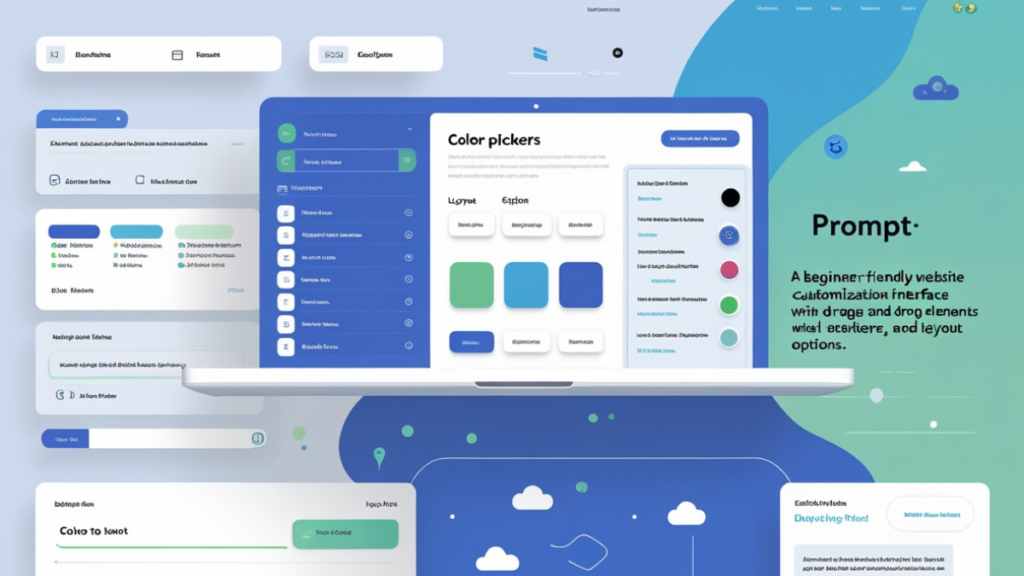
Creating a website used to require extensive coding knowledge, but today, you can customize your website without coding using simple tools. Whether you’re a small business owner, a blogger, or an entrepreneur, personalizing your site without technical skills is now possible. This guide will take you through step-by-step methods to help you create a unique and professional-looking website effortlessly.
Why Customize Your Website Without Coding?
- Saves Time & Money – No need to hire developers.
- Full Control – Make updates anytime without relying on others.
- User-Friendly – Most no-code tools are easy to learn.
- Flexibility – Change design elements as your business grows.
If you’re looking to create a website that reflects your brand without touching a single line of code, you’re in the right place!
Choosing the Right Website Builder
To customize your website without coding, the first step is selecting the right website builder. Here are some popular choices:
| Website Builder | Best For | Ease of Use |
|---|---|---|
| Wix | Beginners, portfolios | ⭐⭐⭐⭐⭐ |
| Squarespace | Design-focused sites | ⭐⭐⭐⭐ |
| WordPress (No-Code Options) | Blogs, businesses | ⭐⭐⭐⭐ |
| Shopify | E-commerce | ⭐⭐⭐⭐⭐ |
Each of these platforms allows for extensive customization without needing coding knowledge.
Themes and Templates: The Foundation of Customization
Themes and templates determine your website’s overall look. Most website builders provide pre-designed templates that you can edit:
- Wix & Squarespace – Professionally designed templates with drag-and-drop features.
- WordPress – Thousands of free and premium themes.
- Shopify – E-commerce themes optimized for conversions.
Tips for Choosing the Right Template:
✅ Pick a clean, mobile-friendly design.
✅ Ensure it aligns with your brand identity.
✅ Choose a template that allows future scalability.
Using Drag-and-Drop Page Builders
Page builders let you modify layouts visually, making customization effortless. Some popular drag-and-drop builders include:
- Elementor (for WordPress)
- Divi (for WordPress)
- Wix Editor
- Shopify’s Online Store 2.0
These tools let you edit text, rearrange sections, and add new elements without writing a single line of code.
Customizing Fonts, Colors, and Layouts
Once your template is set, tweak the following for better personalization:
- Fonts – Choose from Google Fonts or custom fonts in website builders.
- Colors – Maintain consistency with your brand palette.
- Layouts – Adjust spacing, alignment, and structure to enhance readability.
Adding and Managing Images and Videos
A visually appealing website attracts visitors. Here’s how you can enhance your site with multimedia:
- Royalty-Free Images – Use Unsplash, Pexels, or Pixabay.
- Video Backgrounds – Available in Wix and Squarespace.
- Image Optimization – Compress images using TinyPNG to improve speed.
Incorporating Plugins and Widgets
Extend your website’s functionality using plugins and widgets:
- Contact Forms – WPForms, JotForm, Google Forms.
- SEO Optimization – Yoast SEO (for WordPress), Rank Math.
- Live Chat Support – Tidio, LiveChat.
No-code integrations allow you to add these features with a single click!
Enhancing User Experience (UX) Without Coding
Great user experience (UX) keeps visitors engaged. Follow these no-code principles:
✔ Simple Navigation – Use clear menus.
✔ Readable Typography – Ensure text is large and legible.
✔ Fast Loading Speed – Optimize images and enable caching.
Optimizing for Mobile Responsiveness
Over 50% of web traffic comes from mobile devices. Website builders offer mobile editing options:
📌 Wix & Squarespace – Automatically adjust for mobile.
📌 WordPress (Elementor, Divi) – Separate mobile preview editing.
📌 Google Mobile-Friendly Test – Check your site’s mobile usability.
SEO Best Practices for a Custom Website
Even without coding, you can improve SEO:
- Use Keywords Naturally – Add them in titles and descriptions.
- Optimize Images – Use alt tags.
- Speed Optimization – Minimize unnecessary plugins.
- Internal Linking – Link to valuable resources, like Codinov.
Integrating Social Media Without Code
Increase engagement by embedding social media links:
🔹 Social Media Buttons – Available in all website builders.
🔹 Instagram & Twitter Feeds – Embed directly into pages.
🔹 Click-to-Share Buttons – Add sharing options for blog posts.
Adding Forms and Contact Sections
Make it easy for visitors to reach you:
- Contact Forms – WPForms, Google Forms.
- Live Chat – Tawk.to, Zendesk.
- Email Subscription – Mailchimp, ConvertKit.
Using No-Code Automation Tools
Automate website tasks with tools like:
- Zapier – Connect apps without coding.
- IFTTT – Automate social media updates.
- Google Tag Manager – Track analytics without touching code.
Testing and Improving Your Website
Regularly test your website to ensure smooth performance:
✅ Use Google PageSpeed Insights for speed tests.
✅ Check Google Analytics for visitor insights.
✅ Perform A/B testing to refine elements.
Common Mistakes to Avoid
🚫 Choosing overly complex designs.
🚫 Ignoring mobile optimization.
🚫 Overloading with unnecessary widgets.
🚫 Forgetting SEO basics.
FAQs
1. Can I create a professional website without coding?
Yes! Website builders and page builders make it easy.
2. How can I customize my website without losing speed?
Use lightweight themes, compress images, and optimize plugins.
3. Are no-code website builders secure?
Most platforms offer built-in security, but always enable SSL and backups.
4. What is the best free website builder?
Wix and WordPress (with free hosting options) are great choices.
5. Can I switch website builders later?
Yes, but it can be complex, so choose wisely from the start.
Conclusion
Customizing your website without coding is easier than ever, thanks to intuitive website builders, drag-and-drop editors, and automation tools. Whether you’re personalizing fonts, layouts, or adding plugins, you can achieve a professional look without touching code.
Need expert guidance? Visit Codinov for top-notch web customization and streaming solutions! 🚀